Showing posts with label Away3DLite. Show all posts

Wednesday, March 31, 2010

[Away3DLite] MD2 and MDZ Builder from DAE Animation!?

What's that?

Are you feeling sick with Collada DAE format? big ass, huge parse time, long load, plug-in mess up each revision, animation clip need expert modeler to export it with new version from $$$ program, texture didn't pack with model (yes you can use KMZ, but i won't suggest that, face is totally mess from Sketch Up ;p) and bla bla bla….

And?

bad news is you still have to deal with it lol, but good news is from now on we can now export that DAE to MD2 with animation!

Method #1 : DAE -> Mesh -> MovieMesh + AnimationData -> MD2

Yeah, that's mean single mesh animation, I won't buy it

ah ,well let me try again

Method #2 : DAE -> Mesh(es) -> MovieMesh(es) -> MD2(s)

Well, look nice, but how about textures?

you right, let's add texture file name to MD2 header

Method #3 : DAE -> Mesh(es) -> MovieMesh(es) -> MD2(s) + texture filename

Collada got auto textures load isn't it?

you 're lazy bastard! let's pack it then, know KMZ right? let's do it!

Method #4 : DAE -> Mesh(es) -> MovieMesh(es) -> MD2(s) + texture(s) -> MDZ

Which mean I can use WinRar or WinZip to open it?

you right! look at this!

 winrar-mdz 

Pros?

  1. less file size, mean less load time
  2. no bone need, mean only vertex animation here = should be faster
  3. can be dynamic convert DAE bone animation at run time to vertex animation, even share vertices and/or material (some decision will make about this later to toggle shared on/off)
  4. all pack and can be repack by one line of code
  5. can be read MD2 -> modify vertex, animation -> write MD2

And cons?

  1. not optimize yet, weld need
  2. not support quad face yet, need more coffee
  3. no docs for this yet, only brave/geek allow
  4. in case it don't weld/share vertex yet, import back to some real 3d editor may cause some problem

Any demo?

here's DAE and MDZ running together side by side, which mean DAE bone animation and MD2 vertex animation running there, fyi that you can click stage to save model as MDZ
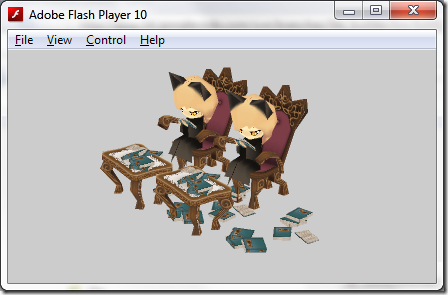
dae-mdz 

Where can I try this?

let open source rule the world :)

What's next?

can you keep secret? no? i won't tell you then lol, later!

del.icio.us Tags: ,

Monday, February 15, 2010

[Away3DLite] More particles!

I think you're dead?

Long time no blog post woohoo! this year gonna be fun because I plan to workless play more, I need my life back! It's time for having fun ;D

Particle again?

Yeah! 2x faster one with some clipping cheating, 3x faster for no scale via copyPixels ;)
here's animated bitmap particles, while toggle render to copy pixels mode
we even have some fps to add filters and blend mode there ;D 

away3dlite particles

It's clipping around 1,000 particles, so around 2,000 left for render time, all shared same bitmapdata

OK, It's faster than before, what else?

- Shared bitmapData
- Support render to view/layer/bitmap (warning, bitmap approach need some change later)
- Clip by RectClipping
- Animate frame by frame by move their material rect
- Mouse hitTest each particle can be check by particle.isHit

Prove it!

well, here's for more fancy use, magic happen when you draw model 3D to shared bitmapData

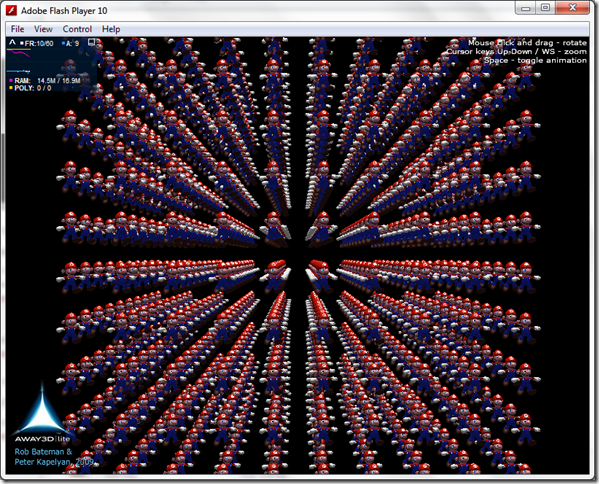
1x version via Sprite3D (2009 demo, 1,000 Sprite3D @ 10/30fps)
http://away3d.googlecode.com/svn/branches/lite/bin/Advanced_Mario1000.swf
image

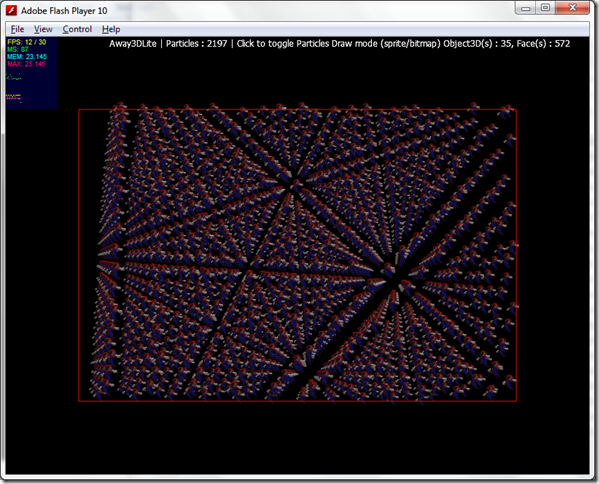
2x version via Particles (2,000 Particles @ 12/30 drawRect, and @ 24/30fps via copyPixels)
http://away3d.googlecode.com/svn/branches/lite/bin/Advanced_Mario2000.swf
image 
Try click to switch draw method from drawRect  -> copyPixels

Source?

as you wish!, you've been warn, it's dev stuff, which mean daily change will be apply ;p
http://away3d.googlecode.com/svn/branches/lite

Any thing else?

- Well, like it or not 3D with HW support via Flash not happen so soon…so i think caching/pooling bitmapdata like old style sprite 2D game with fixed camera angle is best choice for me this year, even Adobe release HW support tomorrow, we still have to wait next year for real production…

- Sadly but true, PSP didn't have multi touch, DS didn't have high quality graphic, iPad/iPhone didn't support Flash, WinMo 7 didn't support Flash, Flash didn't have HW support, Chrome didn't have RSS icon for feeding web, WebGL need geeky browser hidden somewhere and need super tricky to enable it, I think all this just #FAIL and still happen 'til today, many of them is nonsense ;p

- And here's #WIN list…LG LCD TV/Monitor cheaper than Samsung at better spec, Sony VAIO is cheaper Than DELL at better spec. SkyFire support Flash 10 on mobile for a year but not many peep notice! OpenPlug release AS3 -> mobile solution before Adobe Slider, Unity3D bring 3D technology 10 year far away from Flash 3D

- I won't say someone lazy in case I did ;p , Away3DLite is lack many features too, good luck it's open source, and we are open mind group, we always listen to any developer who want to push Flash to limit, when we squeeze all frame rate out and it still useless, so we can totally blame Adobe at that point…

- Many thanks to all submitted patch/improvement to us last year, you just help me save plenty of time, please don't stop doing that!

Next?

- May be Pixel particles? someone need it? it should be faster 5x for pixel, I think.

- Bad news UVT is slow, if you found that lite is slower in some case, try activate MIPMAP by use 2^n texture should help some, I'm try to figure out this by separate renderer, and render it without calculate "T" internal (and we can blame Adobe here ;p), and look like it not happen so soon

- Model Viewer, It's time to real production, let's start with model viewer :)

del.icio.us Tags:

Monday, October 5, 2009

[Away3DLite] Let's mess with Particles


What?

  • when ppl busy with BSP thing i keep mess up with 2D particles...sound boring huh? it's still fun for me lol ;)
  • it's sort with mesh screenZ, (and yes you can request to make it sort with face but it will be slower obviously, so...i decide to do it really later)
  • draw with old style render method beginBitmapFill+drawRect
  • animated by adding bitmapData sequence, and turn animated on (off by default)
  • auto buffer scale just like DOF (without blurring), slower for small piece but a lot faster for huge bitmap (more than ~24px), but consume more RAM depend on quality option set
  • layer support! weirdo but it's there!, i can imagine that someone use this particle as Tree decor, and that will be nightmare if no layer support! more good news is it's just Sprite that you can add filters or blendmode to it! cool ehh? ;)

Why?

  • render as Object3D is seem to be slower because you need to apply matrix transform twice + invert also more traverse time through child node, pros is you can get native interactive
  • render by drawGraphicsData, so it's just like plane = 2 triangles right? you can test speed for 200-300 plane before thing go slow down, so i count that not a good choice
  • render with copyPixels, yeah i know that best choice, but i need buffer scale and some Bitmap for that, and i need to z-sort that Bitmap with other Mesh! so...not now,... suppose to be have own canvas 1st i think

Result?

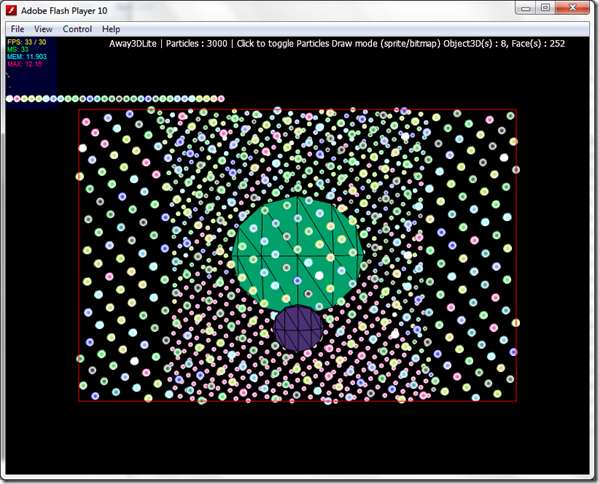
  • best score for drawRect is around 10px particles with around 2,000-2,500 at 30/30fps steady... i call this "it's just work" version ;p so you can use it it but don't expect for speed wise just yet ;)

away3dlite particles
http://www.sleepydesign.com/labs/as3/Away3DLite/ExParticles.html

Source?

Next?

  • next try would be drawPath , i'll explain this one later (if it work well ;p) let's compare speed again when it done :)
  • btw, in case no GPU for PC via Flash10.1, let's pray drawPath will be faster ;p
  • any comment for improvement is welcome!
del.icio.us Tags: ,