Showing posts with label Pitfall. Show all posts

Thursday, April 30, 2015

[VSCode] Visual Studio Code Newbies Pitfal

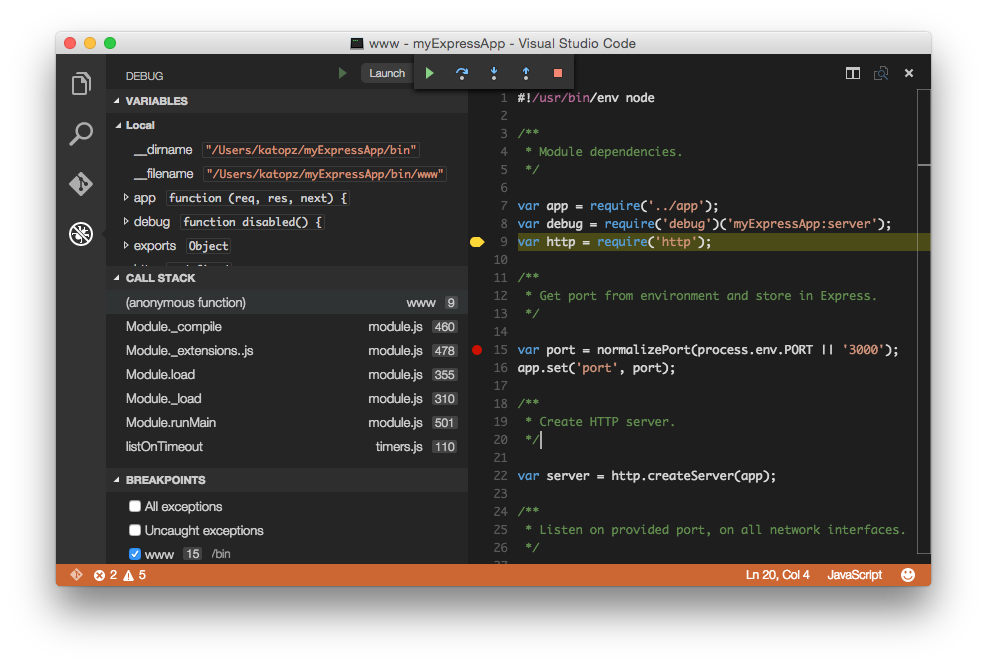
M$ just release (with hard to find link to) Visual Studio Code and yes it's temping to try another cross-platform tool, so here we go! let start with nodejs yeah!

First trap! 


$ npm install -g express
npm ERR! Error: EACCES, mkdir '/usr/local/lib/node_modules/express'
@katopz : No worry! sudo is here to help

$ sudo npm install -g express

2nd trap!


$ cd myExpressApp
$ code .
-bash: code: command not found 
@katopz : That's because you missing this step here tl;dr just open (replace "katopz" with your cool name) /Users/katopz/.bash_profile then add code below, save, reopen your terminal

code () {
    if [[ $# = 0 ]]
    then
        open -a "Visual Studio Code"
    else
        [[ $1 = /* ]] && F="$1" || F="$PWD/${1#./}"
        open -a "Visual Studio Code" --args "$F"
    fi
}
@katopz : Or just forget that! And "open" with Visual Studio Code that you downloaded

$ sudo npm install -g express

Monday, July 7, 2014

[AIR] Workaround for aapt tool failed via AIR 14 SDK

That moments when...

when overly new AIR SDK normally we copy and paste to folder (old method)
C:\Program Files\Adobe\Adobe Flash Builder 4.7 (64 Bit)\sdks\4.6.0
and new one
C:\Program Files\Adobe\Adobe Flash Builder 4.7 (64 Bit)\eclipse\plugins\com.adobe.flash.compiler_4.7.0.349722\AIRSDK

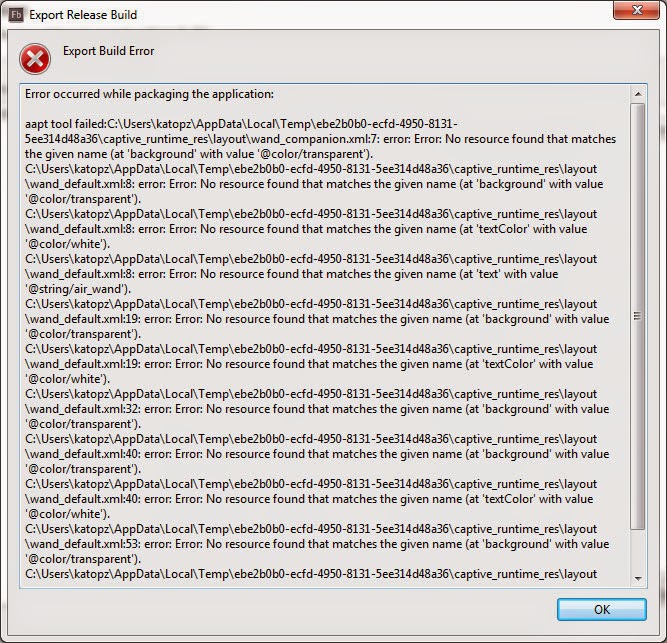
Tadaaa, You will get plenty of error via AIR 14 SDK beta

aapt tool failed:C:\Users\katopz\AppData\Local\Temp\40bfcf3c-9e8c-4a1f-86bc-18bb752c0d54\captive_runtime_res\layout\wand_companion.xml:7: error: Error: No resource found that matches the given name (at 'background' with value '@color/transparent').


More about this

Workaround

Delete anything in AIRSDK folder in my case is
C:\Program Files\Adobe\Adobe Flash Builder 4.7 (64 Bit)\eclipse\plugins\com.adobe.flash.compiler_4.7.0.349722\AIRSDK
An then completely extract everything from air-sdk.zip to that folder

Say again?

Delete old SDK before overlay like usual.
don't ask me why, it's just working ;p

Saturday, June 28, 2014

[WP8] Visual Studio 2013 Menu duplicated bug


Problem : Menu in Visual Studio 2013 get duplicated.


Solution : Run devenv.exe /resetuserdata in command line.
Which normally exist here C:\Program Files (x86)\Microsoft Visual Studio 12.0\Common7\IDE

Lessen : Every IDE has it own problem tho

PS: I'm now become 100% cross-platform native programmer LOL

Tuesday, May 20, 2014

[OSX] How to boot Maverick on PC


[image credit tonymacx86.com]

It's about time to update my OS X via my PC in case Maverick 10.9.3 is out and I just finish my first Xcode app so I have no fear to lost my all installation (worst case) after major update in case I already backup my certificate and push all stuff to git :)

Note to self

  1. just follow : http://www.tonymacx86.com/374-unibeast-install-os-x-mavericks-any-supported-intel-based-pc.html
  2. refer to this, my GTS250 will need default setting + GraphicsEnabler=Yes
  3. and maybe http://www.osx86.net/files/download/3123-geforce-gts-250-evga-xfx-etc/
  4. and my sound still need : http://www.tonymacx86.com/audio/63663-asus-p7p55d-enable-via-vt1828s-sound-10-8-a.html
  5. my second monitor via HDMI not seem to work like expected so I fallback to VGA and it just work so I can live with it.
  6. I realize that when freezing at spinning loading screen i will need to turn PC off not just hit reset button, same rule apply to BIOS setting which seem to be not save after freeze even I hit save button, weird but workaround is easy enough tho ;)
It's not kinda hard this time because I install over my old 10.8.5 and seem like it take all setting and configuration form old stuff so I'm happy now. yeah! 

Happy Xcoding! ;)

Friday, May 9, 2014

[Flash] Modernizr Pitfal

Problem

  1. swfobject just can't detect installed Flash Player.
  2. see 1.

Shit Happens when

  1. you use : https://code.google.com/p/swfobject/
  2. and : http://modernizr.com/download/
  3. Windows 8 via touchable screen

Solution

  1. Don't select Touch Events when download Modernizr


  2. That's it!

Why?


  1. It will add "touch" like this and it will do "something"
  2. That's it!


Wednesday, April 23, 2014

[Android] ADT update pitfall

As i finish my Xcode iOS app already
Guess what this year i'll mess up with Java Android ;)

And that moment when...

This Android SDK requires Android Developer Toolkit version 22.6.1 or above.
Current version is 22.3.0.v201310242005-887826

and when you feeling lucky and click check for update...


i'm not alone tho...
so here we go...


but when trouble is my friend i got...


solution? don't event think just do this...

don't ask me why, it just work on my machine ;p
Fun Fact : all this is align center
just for fun!
LOL ;)

Sunday, March 30, 2014

[ANE] Daily pitfall, ANE and Worker don't get along in constructor

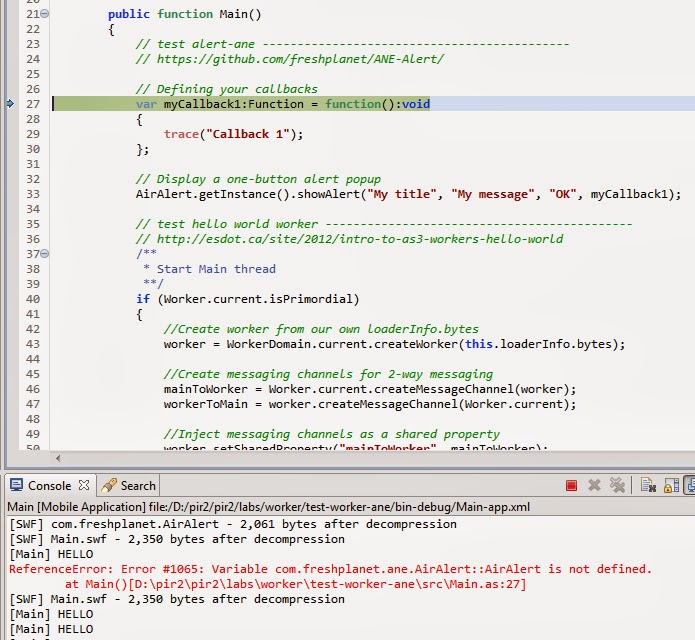
Quick note for ANE and Worker when you got...
ReferenceError: Error #1065: Variable ... is not defined. at Main()

To reproduce

  1. get any ANE e.g. https://github.com/freshplanet/ANE-Alert/
  2. get helloworld Worker e.g. http://esdot.ca/site/2012/intro-to-as3-workers-hello-world
  3. and put both in constructor like this https://gist.github.com/katopz/9873681

Work around


  • don't alloc ANE and Worker in constructor together, let worker do their job in their thread and then alloc ANE in Main thread.

That's it! back to work!

Monday, February 10, 2014

[Xcode] Invalid Signature, Invalid Binary Nightmare!


At first I think I will add this to postmortem but it should be a huge list there lol, so i think i better separated this case here. It happen when you pass validation via Xcode and trying to distribute to app store...


Then shit happen when you got email eventually after submit your app to app store
Dear developer,
We have discovered one or more issues with your recent delivery for "Meaning". To process your delivery, the following issues must be corrected:
Invalid Signature - Make sure you have signed your application with a distribution certificate, not an ad hoc certificate or a development certificate. Verify that the code signing settings in Xcode are correct at the target level (which override any values at the project level). Additionally, make sure the bundle you are uploading was built using a Release target in Xcode, not a Simulator target. If you are certain your code signing settings are correct, choose "Clean All" in Xcode, delete the "build" directory in the Finder, and rebuild your release target.
Once these issues have been corrected, go to the Version Details page and click "Ready to Upload Binary." Continue through the submission process until the app status is "Waiting for Upload." You can then deliver the corrected binary.
Regards,
The App Store team
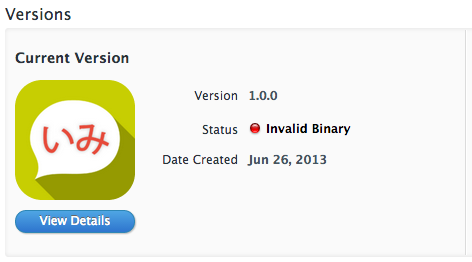
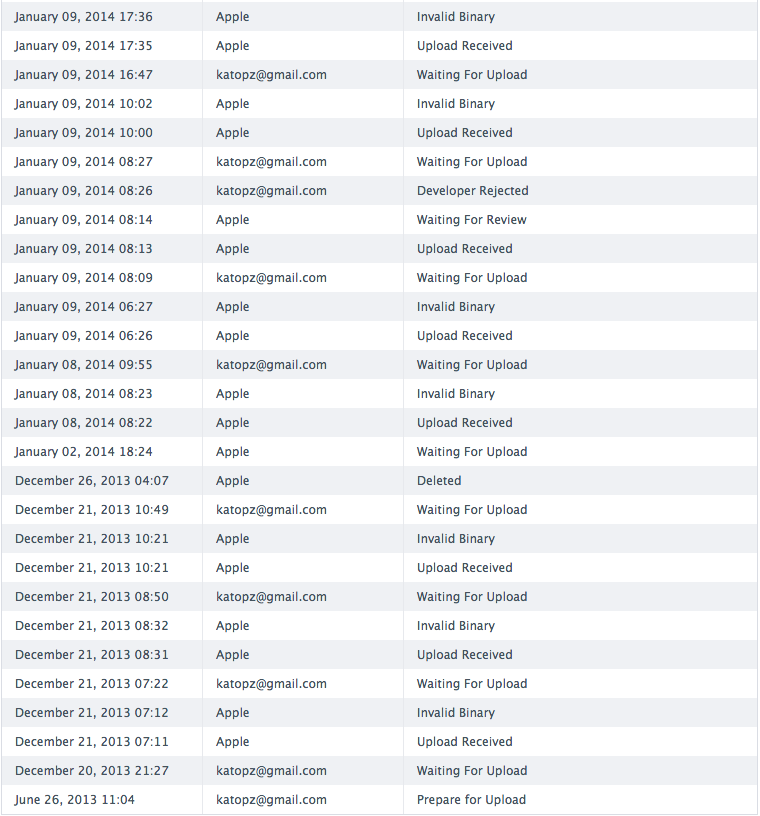
And appear "Invalid Binary" like this on itune connect...

Case # 1 : Invalid Signature

After delete/revoke all developer/distribute 10 times even start from scratch again and again, nothing work for me tho, i shouldn't that stupid and even i let Xcode is picking up signing certification itself but it still didn't get through so it shouldn't be the case.

Case # 2 : Invalid Binary

If you google for this mess you will plenty of solution on stackoverflow which none of them is working and here's (some of) my 21 times trying for a 2 months (each time required an hour upload time)...

And even worst my app name will expire at period of week that app store planning to close (21 Dec.), which mean if i can't upload it in time. My app name will be hand over to someone and i never get it back! and guess what? App store keep rejecting my app til last minute of that time and i did lost my app name (26 Dec.)

But after I try email and beg apple for mercy, they just gave me a 2nd chance to upload because it's not all my false and i did submit binary. then on 2 Jan. i can upload again.

(Nearly)All problem has solution :)

Now you should want to know what my problem is! The secret just reveal a second ago so i'm totally itchy to write it down...TADA...my problem for causing invalid binary is ExFAT which i use to write project in this ExFat drive so i can read/write assets between Windows and Mac (i'm using both OS on same PC), grhhhh here's conclusion...

Problem : Archiving and then distribute application with Xcode 5 to App Store on ExFAT drive will cause you Invalid Binary

Solution : Move project to normal Mac OS formatted drive and archive/distribute from that.

All this mess take me Dec 2013 -> Feb 2014 to figure this out and nearly give up while trying, Just hope this will save someone time.(And yes you can click any ads on my blog to cheers me up lol)

Happy Coding!