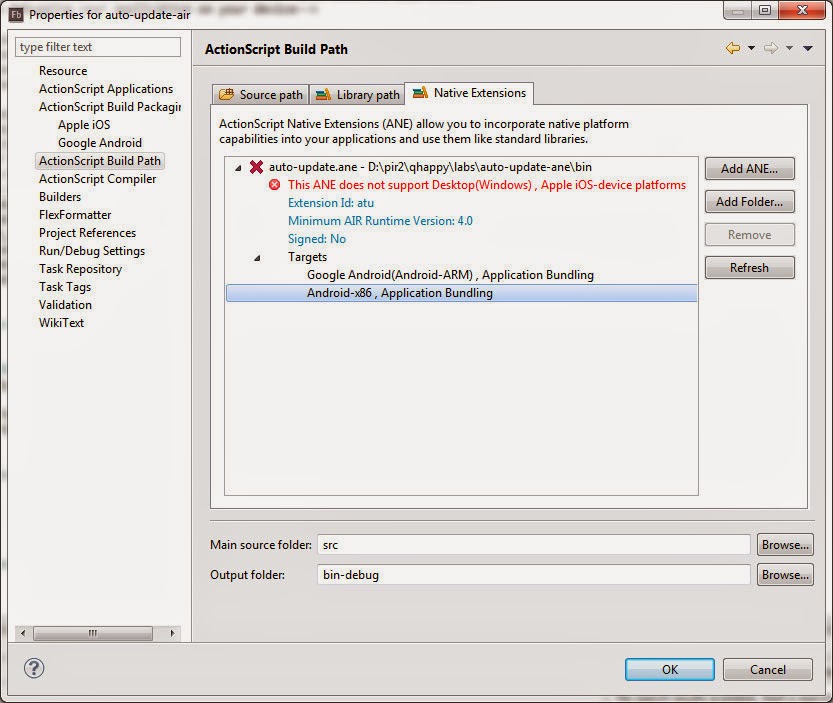
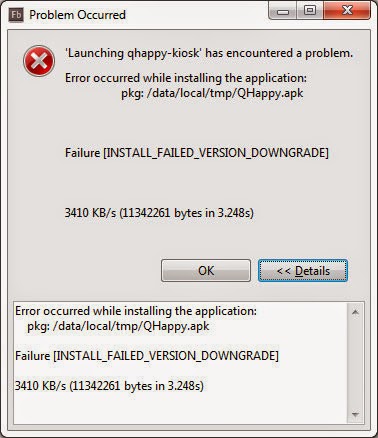
First of all I love Flash Builder and still stick with it for many year, bad news is upcoming Flash Builder 4.7 is somewhat…weirdo…(see below for detail) the best I can do is yelling out loud in prerelease group (and can be in public now because it's
already release) until Adobe (or me) is giving up on this mess ;p
I will collect what I found about Flash Builder 4.7 bugs that Adobe will call it features and mess my life up here, feel free to enjoy ;)
issue #1 : Fancy overlay need (Should be fixed at release version)
- You can’t overlay to C:\Program Files\Adobe\Adobe Flash Builder 4.7 (64 Bit)\sdks anymore (it's for legacy compiler), you have to overlay here C:\Program Files\Adobe\Adobe Flash Builder 4.7 (64 Bit)\eclipse\plugins\com.adobe.flash.compiler_4.7.0.349722\AIRSDK instead and if you unlucky dude you will get this…
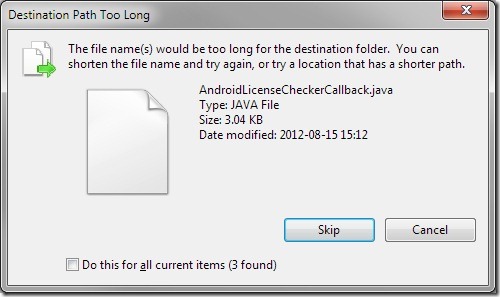
yes, too long path… this logged bug already
workaround :
- rename “C:\Program Files\Adobe\Adobe Flash Builder 4.7 (64 Bit)\eclipse\plugins\com.adobe.flash.compiler_4.7.0.349722\AIRSDK” folder to “C:\Program Files\Adobe\Adobe Flash Builder 4.7 (64 Bit)\eclipse\plugins\a\AIRSDK” and then you good to go, overlay it and don’t forget to rename it back obviously after copy is done.
issue #2 : You can’t switch between SDK anymore (Still in release version)
- Flash Builder (this is feature) will auto choose newest SDK for you (FOR WHAT!) like you are a stupid developer, and yes even you are smart ass you just can’t switch SDK to old working one anymore…yes overlay again or rename folder via folder should do the trick…but remember this?
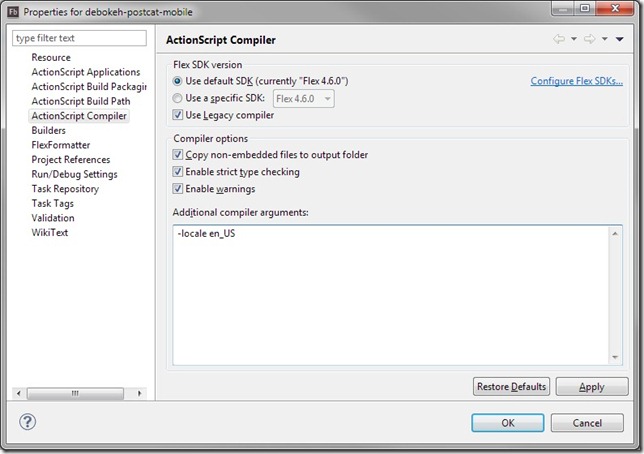
just 1 click! and see below for what happen in new version…

WAIT! WHY! I think Adobe never have old client that need to change something in an old project that required SDK 3.6 or else to publish as Flash 10 or lower (let me remind you new SDK need higher FlashPlayer version e.g. “The currently selected Flex SDK requires minimum Adobe Flash Player version 11.4.0.”)
What you gonna face if you try switch to newest SDK?
- JSON that will break all old 3rd party JSON parser just because they has same class name.
- Embed behavior need to restructure how you refer to you file path.
- Alchemy1 will break in new Flash Player target version > 10.x after that you will need Alchemy2 and that half way to paid for license ;p
If you still can’t imagine what gonna happen that’s really mean…
- you are Adobe guy.
- you are not use Flash Builder long enough.
- you never have old project that required old environment to build with.
- your client didn’t poke you to change stuff in your project just yet.
all this nightmare usually need 1 click to switch SDK to get job done…, guess what AIR 3.5 is on labs and what you gonna do to switch between (buggy) AIR 3.5 and (production) AIR 3.4?
workaround :
- bring old dialog back! open your “.actionScriptProperties” via your project folder and seek for compiler tag and mod useFlashSDK="true" to useFlashSDK="false" and overlay SDK like usual
issue #3 : The definition mx.core.ByteArrayAsset could not be found
workaround :
- use swc, manually include it, or use legacy compiler (@see workaround issue #2)
issue #4 : The definition mx.core.FontAsset depended on by com.bit101.components.Component_Ronda in the SWC minimal_comps_0_9_9.swc could not be found
workaround :
issue #5 : TypeError: Error #2079: Classes derived from Bitmap can only be associated with defineBits characters (bitmaps)
- your embed or swc assets is breaking…
workaround :
- use legacy compiler (@see workaround issue #2)
issue #6 : [Unload SWF] unknown
- your embed or swc assets is breaking…
workaround :
- use legacy compiler (@see workaround issue #2)
issue #7 : VerifyError: Error #1107: The ABC data is corrupt, attempt to read out of bounds.
- your embed or swc assets is breaking…
workaround :
- use legacy compiler (@see workaround issue #2)
issue #8 : Starling via ASC2.0
workaround :
issue #9 : Legacy Compiler throw Java NULL
- refer to http://forums.adobe.com/thread/1087483
you will get
Exception in thread "main" java.lang.StackOverflowError
at adobe.abc.Algorithms.dfs_visit(Algorithms.java:204)
at adobe.abc.Algorithms.dfs_visit_el(Algorithms.java:194)
...and a lot more
workaround :
- use ASC2.0 with AIR SDK3.6
issue #10 : Flash Builder refuse to open (work space corrupted)
- can be reproduce by create project -> exist FB -> move some/all folder that contain your .as and/or library to other place -> open FB -> fail
workaround :
issue #11 : Flash Builder fail to refactoring (released version)
- refer to http://forums.adobe.com/message/5014395#5014395
you will get
java.lang.reflect.InvocationTargetException
at org.eclipse.jface.operation.ModalContext.run(ModalContext.java:421)
at org.eclipse.ltk.internal.ui.refactoring.RefactoringWizardDialog2.run(RefactoringWizardDialog2.java:331)
and a lot more
workaround :
- manually refactoring while wait for hotfix
PS : legacy compiler is nearly dead
// bedtime, will blog more if need and not lazy ;p